A Bird's Eye View of Worksoft's Connective Automation Platform
Discover Worksoft's Connective Automation Platform, a comprehensive suite for process automation, testing, and optimization. Learn how tools like Certify, Process Intelligence, and RPA Orchestrator enhance efficiency, reduce risks, and drive digital transformation in modern enterprises.

Avinash Kumar V
Automation Team Lead at Deployd with over 10 years of experience in test automation. Passionate about leveraging software automation to optimize costs and accelerate delivery timelines. Enthusiastic about building custom accelerators and driving efficiency across teams. Actively shares insights through technical blogs and enjoys experimenting with emerging testing tools and technologies.

Today's enterprise environment is a complex web of diverse and distributed assets integral to executing mission-critical business processes. As organizations rely more heavily on these systems to operate, digital transformation has shifted from a goal to an unavoidable necessity.
The Worksoft Connective Automation Platform suite of tools enables organizations to adapt swiftly to change, minimizes risks and at the same time optimizes efficiency across their digital ecosystems. Thus, it solves the challenges of traditional automation.
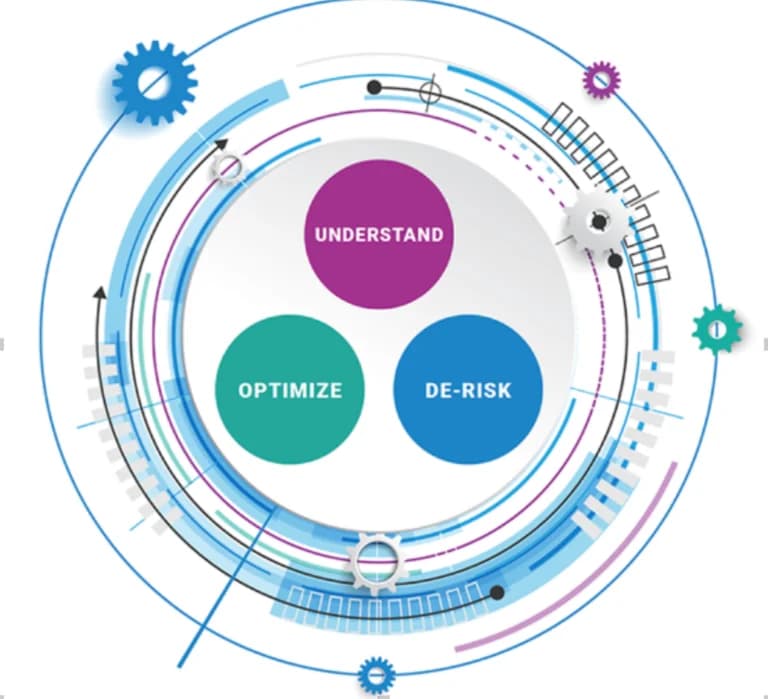
Worksoft Connective Automation Platform consists of the below tools
- Worksoft Portal and Services
- Worksoft Business Capture
- Worksoft Process Intelligence
- Worksoft Certify
- Continuous Testing Manager
- Worksoft Reporting Services
- Certify Impact
- Data Connect
Worksoft Portal and Services
Previously known as "Worksoft Management Studio", this is the first tool required for the complete setup of all the tools mentioned above. Worksoft Portal is a central administration tool, managing all the products mentioned above.
It provides essential information such as database settings, licenses, user accounts, SMTP configurations, and tenant details, which are utilized by other products.
Additionally, it offers various services, including authentication, cryptography, certifying results viewing, bookmarking, scheduling, and capturing documentation, to enhance functionality and streamline operations.
Worksoft Business Capture
Worksoft Business Capture is a standalone, lightweight tool designed to record all manual actions performed by a user on an application under test.
The captured steps are saved in an .XML file, which can later be uploaded to Process Intelligence for automation, visualization, analysis, and documentation.
It allows functional users to generate automation .XML files while performing manual testing, significantly reducing the time required for automation developers to complete the remaining development.
Worksoft Process Intelligence
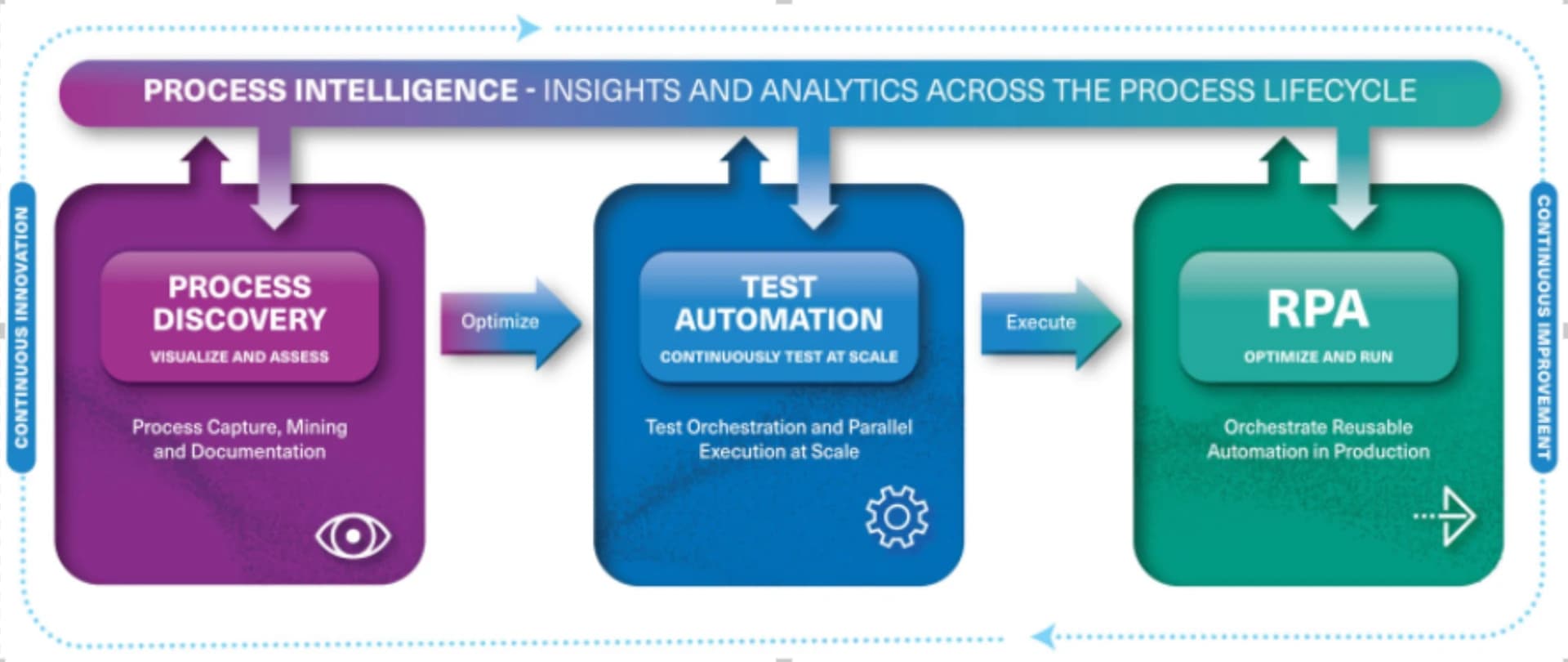
Worksoft Process Intelligence (previously known as "Worksoft Analyze"), combined with Business Capture, facilitates optimized process discovery.
It delivers valuable insights, evaluates the potential benefits of process automation, and intelligently enhances processes using process mining data.
Additionally, it provides a flowchart representation of all captures uploaded from Business Capture or Certify, offering a clear and visual understanding of workflows.
Worksoft Certify
Worksoft Certify is the cornerstone of the suite, designed for creating and executing automated tests. This functional testing solution is user-friendly, quick to deploy, and more efficient to maintain compared to traditional tools.
Worksoft Certify automates business processes across all enterprise applications and interfaces, ensuring the validation of critical workflows to guarantee their functionality.
Continuous Testing Manager
Automation is fundamentally about saving time, and CTM (previously known as Execution Manager) provides the ideal solution for executing tests seamlessly and unattended.
With CTM, you can run tests on-demand or schedule Worksoft Certify automated tests to run at any time. It serves as a centralized portal, enabling you to execute and monitor remote tests on dedicated machines from a single, user-friendly interface.
Worksoft Reporting Services
Worksoft Reporting Services consolidates test results, process documentation, change data, and coverage into a unified, role-based reporting framework. It enables stakeholders to quickly assess release readiness, compliance, and change impact by providing the right insights to the right people, whenever needed.
Additionally, it automates business process and test documentation, ensuring teams remain aligned, transparent, and audit-ready as systems and requirements evolve.
Certify Impact
Certify Impact is an automated, risk-based testing solution designed to identify, recommend, and execute Certify tests based on SAP Transport changes.
It analyses SAP transports and suggests the Certify tests impacted by those changes, making it easier to pinpoint and execute tests for potentially risky business processes. This helps ensure that critical workflows remain functional after updates, reducing the risk of disruptions.
Data Connect
Worksoft Data Connect, powered by EPI-USE Labs, provides secure, production-like test data on demand. It offers built-in test data provisioning with intelligent masking to support privacy regulations such as GDPR and CCPA.
With instant data refresh, testing environments stay synchronized for faster and more reliable test execution. It also integrates seamlessly with Certify and Continuous Testing Manager to deliver the right data to tests, enabling faster testing cycles and reduced risk.
Conclusion
In conclusion, the Worksoft Connective Automation Platform represents a comprehensive solution for modern enterprises navigating digital transformation.
By integrating tools like Business Capture, Process Intelligence, Certify, and RPA Orchestrator, the platform offers a holistic approach to process automation, testing, and optimization.
Organizations can leverage this suite to:
- Reduce manual testing efforts
- Minimize operational risks
- Enhance business process efficiency
- Streamline digital workflow management
The platform's interconnected tools enable businesses to adapt quickly to changing technological landscapes, ensuring critical workflows remain robust and functional across diverse enterprise applications.
References